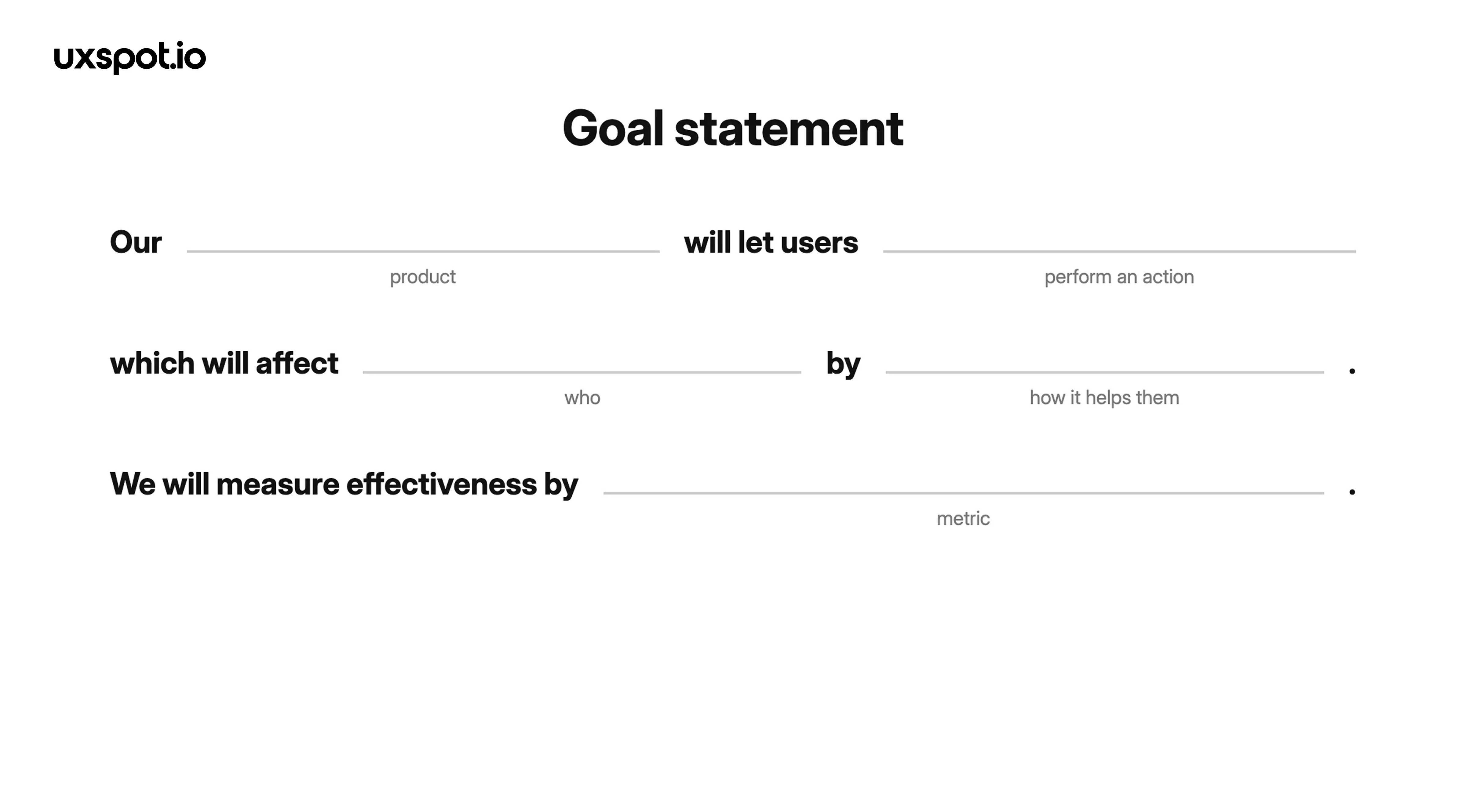
# Build a Goal statement
> Learn how to turn a problem statement into a goal statement — a single sentence that defines the solution, who it serves, and how you will measure success.
Source: https://uxspot.io/goal-statement
What is a goal statement?
A goal statement is one sentence that describes what your product will do, who it will help, and how you will know it worked.
Once you have written a problem statement, you know what your users are struggling with and why it matters. The goal statement is the next step: it flips that problem around and commits your team to a specific solution direction. A problem statement describes the user's need, while a goal statement describes how your design will meet that need.
Notice the shift in perspective. The problem statement is written from the user's point of view. The goal statement is written from the product's point of view. It is a promise your team makes: this is what we will build, this is who it will affect, and this is how we will measure whether we kept the promise.
keywords
- #GoalStatement
- #Ideation
- #SolutionDirection
From problem to goal
Here is how the two statements connect in practice. Imagine you are designing for a dog-walking app.
Problem statement: Amara is a full-time nurse who works irregular shifts. She needs a way to book a trusted dog walker at short notice because her schedule changes daily and her dog cannot be left alone for twelve hours.
Goal statement: Our instant-booking feature will let users book a vetted dog walker within two hours, which will affect shift workers with unpredictable schedules by removing the stress of last-minute care — we will measure effectiveness by the percentage of bookings confirmed in under ten minutes.
Every part of the goal answers a part of the problem. Short notice becomes instant booking. Trusted becomes vetted. Irregular shifts define the audience. A strong goal statement should read like a direct reply to the problem statement, sentence to sentence.
keywords
- #WorkedExample
- #BeforeAndAfter
- #ProblemToGoal
Good vs. vague goal statements
Compare these two versions of the same intent:
Vague: Our app will improve the booking experience for users by making it easier and more delightful.
Good: Our one-tap rebooking feature will let returning customers repeat their last booking in a single step, which will affect frequent travelers by cutting checkout from five screens to one — we will measure effectiveness by an increase in repeat bookings within 30 days.
The vague version cannot fail, and that is exactly what is wrong with it. Nobody can disagree with "easier and more delightful," so it gives designers no direction and stakeholders no accountability. The good version can fail — and because it can fail, it can also guide decisions, settle debates, and prove its own success.
keywords
- #Specificity
- #Accountability
- #Testable
Keeping your design decisions honest
The real value of a goal statement shows up weeks later, during ideation and design reviews. When someone proposes a clever feature, the team can hold it against the goal: does this help users perform the action? Does it serve the group we named? Will it move the metric? If a design idea does not serve the goal statement, it belongs in the backlog, not in the current design.
The metric keeps you honest after launch, too. Because you defined success criteria before designing anything, you cannot quietly redefine success afterwards. If the percentage of fast bookings did not improve, the design did not meet its goal — and that is useful information, not a failure to hide. Revisit the statement, adjust the action or the audience, and iterate.
Keep the goal statement visible: pin it in your design file, repeat it at the start of critiques, and reference it when writing usability test tasks. One sentence, seen often, prevents months of drift.
keywords
- #DesignReviews
- #SuccessCriteria
- #ScopeControl
Takeaways
A goal statement turns a user problem into a measurable design commitment.
Write it right after your problem statement, fill every slot of the formula with something specific, and choose a metric you are willing to be judged by. If your goal statement can fail, it can also succeed — and that is what makes it worth writing.