# Use journey maps to ideate
> Learn how to turn the pain points and emotional low points on a journey map into focused ideation prompts and opportunity statements.
Source: https://uxspot.io/ideate-journey-maps
The map as ideation fuel
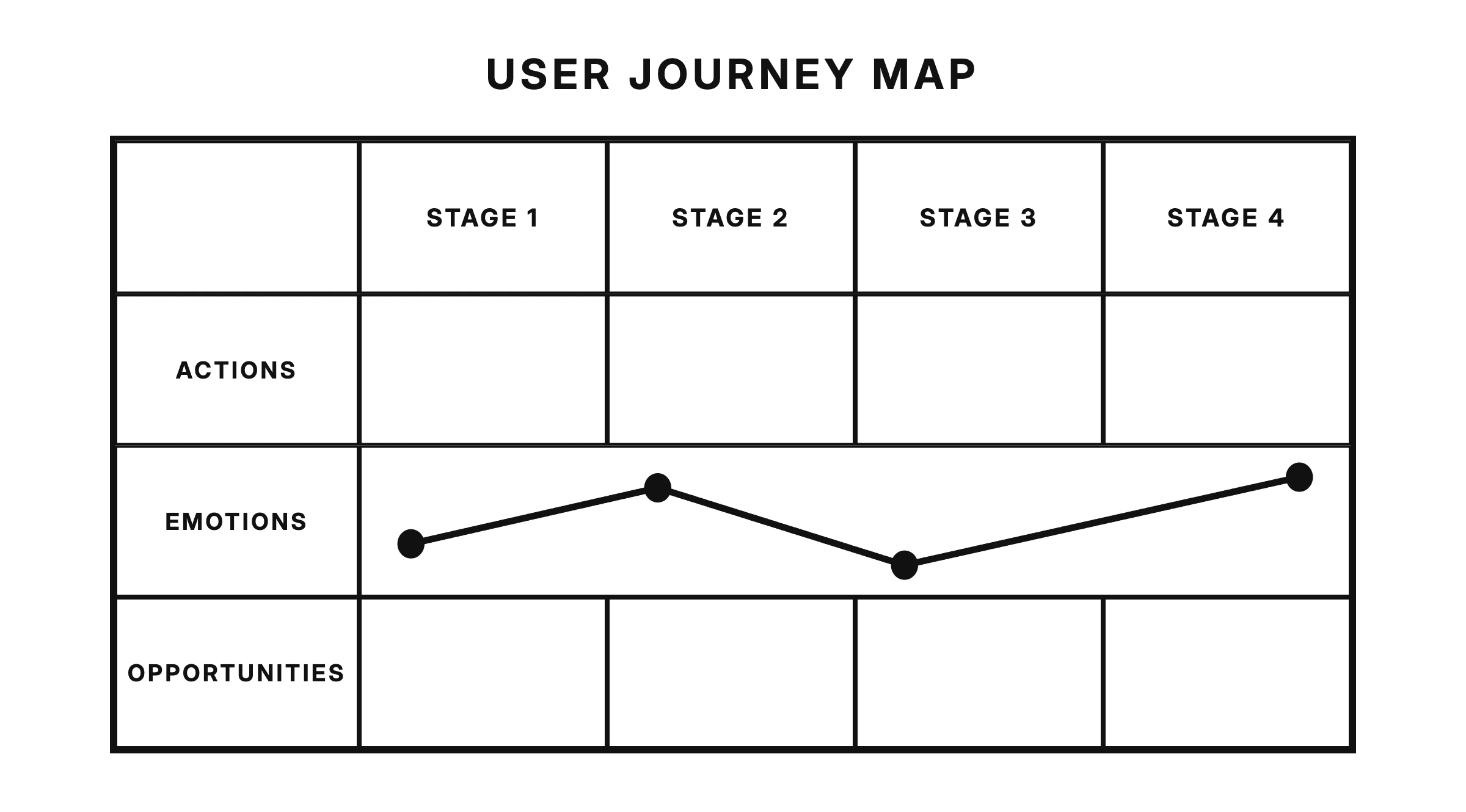
A journey map lays out the stages a user moves through to reach a goal, along with their actions, thoughts, emotions, and pain points at each step.
If you have already built one, you are sitting on the best ideation tool you will ever own. Most teams treat the journey map as a research deliverable: they present it once, everyone nods, and it disappears into a shared drive. That's a waste. A journey map isn't the end of research — it's the starting grid for ideation.
Here's the shift in mindset: every frustration documented on the map is a ready-made ideation prompt. You don't need to invent problems to solve or wait for inspiration. Your users already told you where the experience breaks. Each pain point is a question waiting to be answered: what would remove this friction entirely?
This also keeps your ideation honest. Ideas generated from a journey map are anchored in observed behavior, not in whatever feature the loudest person in the room wants to build. When someone pitches a concept, you can point to the exact moment on the map it addresses — or notice that it doesn't address any moment at all.
keywords
- #JourneyMap
- #PainPoints
- #IdeationFuel
Ideate stage by stage
A common ideation mistake is asking a huge question like "how do we improve the app?" The question is so broad that people either freeze or produce vague answers like "make it simpler." Ideating on the whole product at once produces shallow ideas; ideating on one stage at a time produces specific ones.
The journey map solves this by slicing the experience into stages. Instead of one giant brainstorm, run a series of small, focused ones — one per stage. For an e-commerce flow, that might mean a session on discovery, another on comparison, another on checkout, and another on delivery and returns.
Working stage by stage has practical benefits:
Constraints sharpen thinking. A narrow prompt like "the comparison stage" pushes people past their first obvious idea and into more inventive territory.
Quiet stages get attention. Unsexy stages — confirmation emails, waiting periods, returns — rarely get design love, yet they often hide the biggest frustrations. A stage-by-stage pass guarantees you look at them.
Ideas stay comparable. When every idea maps to a stage, you can spot which parts of the journey are starved of solutions and which are drowning in them.
keywords
- #StageByStage
- #FocusedIdeation
- #Constraints
Find the emotional low points
Most journey maps include an emotion curve — a line that rises and dips as the user moves through the stages. When you ideate, that curve is your treasure map. The deepest dips in the emotion curve mark the moments where a good idea will matter most.
Not every dip deserves equal attention, though. Look for two kinds of moments:
Emotional low points. Where frustration, anxiety, or confusion peaks. Fixing these prevents users from abandoning the journey or forming a lasting negative impression of your product.
Moments that matter. Steps that carry outsized weight in how the user remembers the whole experience — first use, the moment of payment, the moment something goes wrong. People don't remember experiences evenly; they remember the peaks, the lows, and the ending. An idea that lifts one of these moments improves the memory of the entire journey.
Prioritize the intersection: a moment that is both an emotional low and a moment that matters is where ideation effort pays off first.
keywords
- #EmotionCurve
- #LowPoints
- #MomentsThatMatter
Write opportunity statements
An opportunity statement reframes a pain point on the map as an invitation to design, without prescribing a solution.
Before you generate ideas, translate each priority pain point into an opportunity statement. The pattern is simple: name the user, the stage, the struggle, and the outcome they want. For example, a pain point that reads "users don't trust the delivery estimate" becomes "shoppers at checkout need confidence in when their order will arrive so they can decide whether to buy."
Notice what the statement doesn't do: it doesn't say "add a delivery tracker." A good opportunity statement describes the problem space, never the solution — the moment it names a feature, ideation is over before it starts. Write one statement per priority pain point, put them where the whole team can see them, and ideate against each one in turn.
keywords
- #OpportunityStatement
- #ProblemSpace
- #Reframing
Example: booking a train ticket
Imagine a journey map for a commuter using a rail app. The stages run from planning the trip, to buying the ticket, to traveling, to arriving. The purchase stage looks healthy: the emotion curve is level, and pain points are minor. But the curve plunges during travel — specifically at the step labeled "platform change announced."
The map tells the story: the commuter is on a moving train, hears a garbled announcement, and has four minutes to figure out which platform their connection now leaves from. Thoughts captured on the map read "did I hear that right?" and "will I make it?" This is an emotional low point and a moment that matters — miss the connection and the whole journey fails.
The team writes the opportunity statement: "commuters on a connecting trip need to know about platform changes clearly and early enough to act, so they can make their connection without panic." Then they ideate against that stage only. Ideas come quickly because the prompt is concrete: push alerts that fire the moment the operator reroutes a train, a live card showing the new platform and walking time to reach it, or rebooking onto the next connection with one tap when the change is impossible to make.
Compare that to ideating on "improve the rail app." Nobody in that vaguer session mentions platform anxiety, because nobody is looking at the map. The map didn't just inspire the ideas — it found the problem the team didn't know it had.
keywords
- #Example
- #Commuter
- #PlatformAnxiety
Takeaways
Ideate from the map, not from memory.
Treat every pain point as a prompt, work one stage at a time, and aim your best thinking at the emotional low points and the moments users will remember. Convert each priority pain point into an opportunity statement before generating ideas, and your ideation sessions will produce solutions your users actually need.