# Storyboarding user flows
> Learn how to turn a user flow into a storyboard with a character, scene, plot, and narrative arc that wins over stakeholders.
Source: https://uxspot.io/storyboarding
What is a UX storyboard?
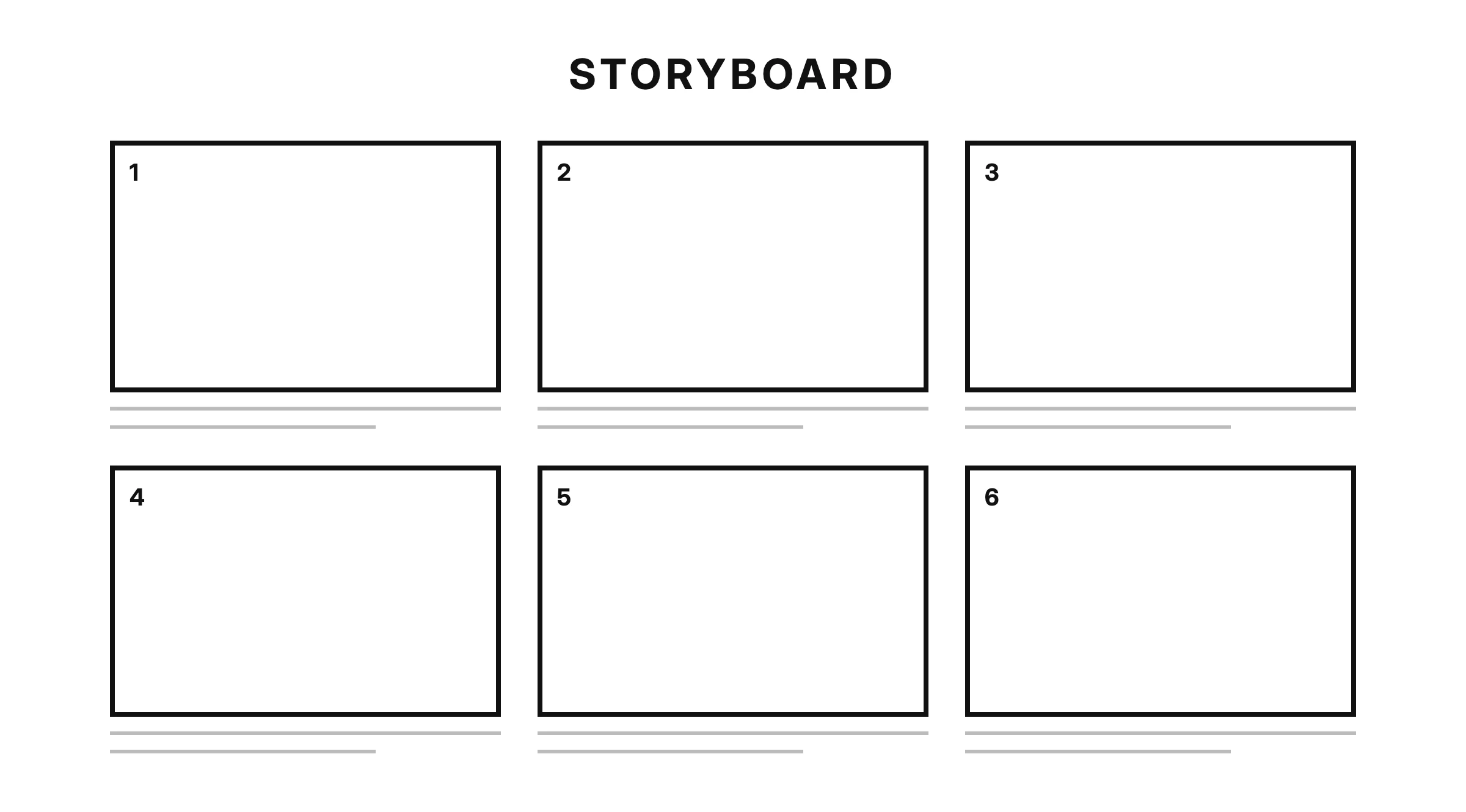
A UX storyboard is a sequence of panels that visualizes a user's experience with a product, step by step, from the moment a problem appears to the moment it is resolved.
The technique is borrowed directly from film-making. Before a director spends money on cameras, actors, and sets, the crew sketches every shot on paper to test whether the story actually works. UX designers do the same thing for a different reason: a storyboard lets you test whether an experience makes sense before anyone spends time building it.
Imagine you are designing a train ticket app. A flowchart can tell you that the user moves from search to seat selection to payment. A storyboard tells you something the flowchart cannot: the user is standing on a crowded platform, holding a coffee in one hand, with four minutes until departure. That context changes every design decision you make.
Storyboards come in different flavors, such as big picture and close-up boards, but each of those deserves its own article. Here, we focus on what every storyboard shares.
keywords
- #Storyboard
- #Visualization
- #FilmMaking
The four ingredients
Every good storyboard, whether it was drawn for a movie or a mobile app, contains the same four ingredients. If one is missing, the story falls flat and the storyboard becomes a decorated flowchart.
Character
The character is the user your story revolves around, usually based on one of your personas. Your character needs a name, a goal, and a reason to care, because nobody empathizes with "the user." Compare "the user wants to buy a ticket" with "Nadia is late for a job interview and needs a ticket in the next four minutes." The second version makes your team feel the stakes.
Show what your character does, says, thinks, and feels in each panel. A simple thought bubble or a frown communicates emotion faster than a paragraph of research findings.
Scene
The scene is the context and environment where the experience happens. Is your character at a quiet desk or on a noisy platform? On fast office Wi-Fi or a weak mobile connection? Alone or surrounded by distractions? Most design failures happen because a product was designed for a calm scene and used in a chaotic one. Drawing the scene forces you to design for reality.
Plot
The plot is the problem your character faces and how your product resolves it. A storyboard without a problem is just an advertisement. Start with a clear conflict, such as a missed refund, a confusing checkout, or a lost booking, and end with a resolution that your product makes possible. The plot is where your value proposition either proves itself or falls apart.
Narrative arc
The narrative arc is how tension rises and falls across the panels. Like any story, a storyboard has a beginning that establishes the character and scene, a middle where the problem escalates, and an end where the resolution lands. Without an arc, panels are just disconnected screenshots. With one, your audience leans in to find out what happens next.
keywords
- #Character
- #Scene
- #Plot
- #NarrativeArc
Why storyboards persuade
You could present the same insight as a spreadsheet: 34% of users abandon checkout at the payment step. Accurate, but forgettable. Show the same stakeholders a six-panel story of Nadia fumbling with a card form on a moving train, and the room reacts.
People forget numbers, but they remember stories, and they make decisions based on what they remember.
Stories also create shared understanding. When a stakeholder reads a spreadsheet, they imagine their own version of the problem, and everyone in the room imagines a different one. A storyboard puts one concrete picture of the problem in every head, so the team argues about the same thing instead of ten imagined things. That alone can save weeks of misaligned work.
keywords
- #Stakeholders
- #Storytelling
- #Alignment
Storyboard a flow in six panels
Six panels is a comfortable length: enough room for an arc, short enough to force focus. Here is a step-by-step way to fill them.
Panel 1: Establish character and scene. Show who your character is and where they are. Nadia on the platform, phone in hand, clock visible.
Panel 2: Introduce the problem. Make the conflict explicit. The ticket machine has a long queue and the train leaves in four minutes.
Panel 3: Raise the stakes. Show what happens if nothing changes. Nadia pictures walking into her interview thirty minutes late.
Panel 4: Enter the product. Your character discovers or opens your product. Keep the interface loose, a rectangle with a button is enough at this stage.
Panel 5: Resolve the problem. Show the key interaction succeeding. Nadia buys a ticket in two taps while walking to the door.
Panel 6: Show the outcome. End on the emotional payoff, not the interface. Nadia in her seat, relieved, as the train pulls away.
Under each panel, write one caption line describing the action and, if useful, what the character thinks or feels. If you cannot caption a panel in one sentence, the panel is doing too much and should be split or cut. When you are done, walk through the sequence with a teammate and watch where they stop nodding. That pause is your weak point in the flow.
keywords
- #SixPanels
- #UserFlow
- #StepByStep
- #Captions
Drawing skill doesn't matter
The most common reason designers avoid storyboarding is "I can't draw." Good news: it doesn't matter. Stick figures, boxes, arrows, and speech bubbles are the entire vocabulary you need. A circle with a sad mouth communicates frustration just as well as a portrait would.
A storyboard is judged by the clarity of its story, never by the quality of its drawings.
In fact, rough sketches often work better than polished ones. Polished visuals invite feedback about colors and style, while rough panels keep the conversation focused on the experience itself. Spend your effort on the plot, not the pencil work.
keywords
- #StickFigures
- #Sketching
- #RoughIsFine
Takeaways
A storyboard turns an abstract user flow into a story your whole team can see, feel, and question. Build it from four ingredients: a character worth caring about, a scene grounded in reality, a plot with a real problem, and an arc that carries tension from panel to panel. Six rough panels and honest captions will persuade a room faster than any spreadsheet, and your drawing skills have nothing to do with it.