The plan is your contract
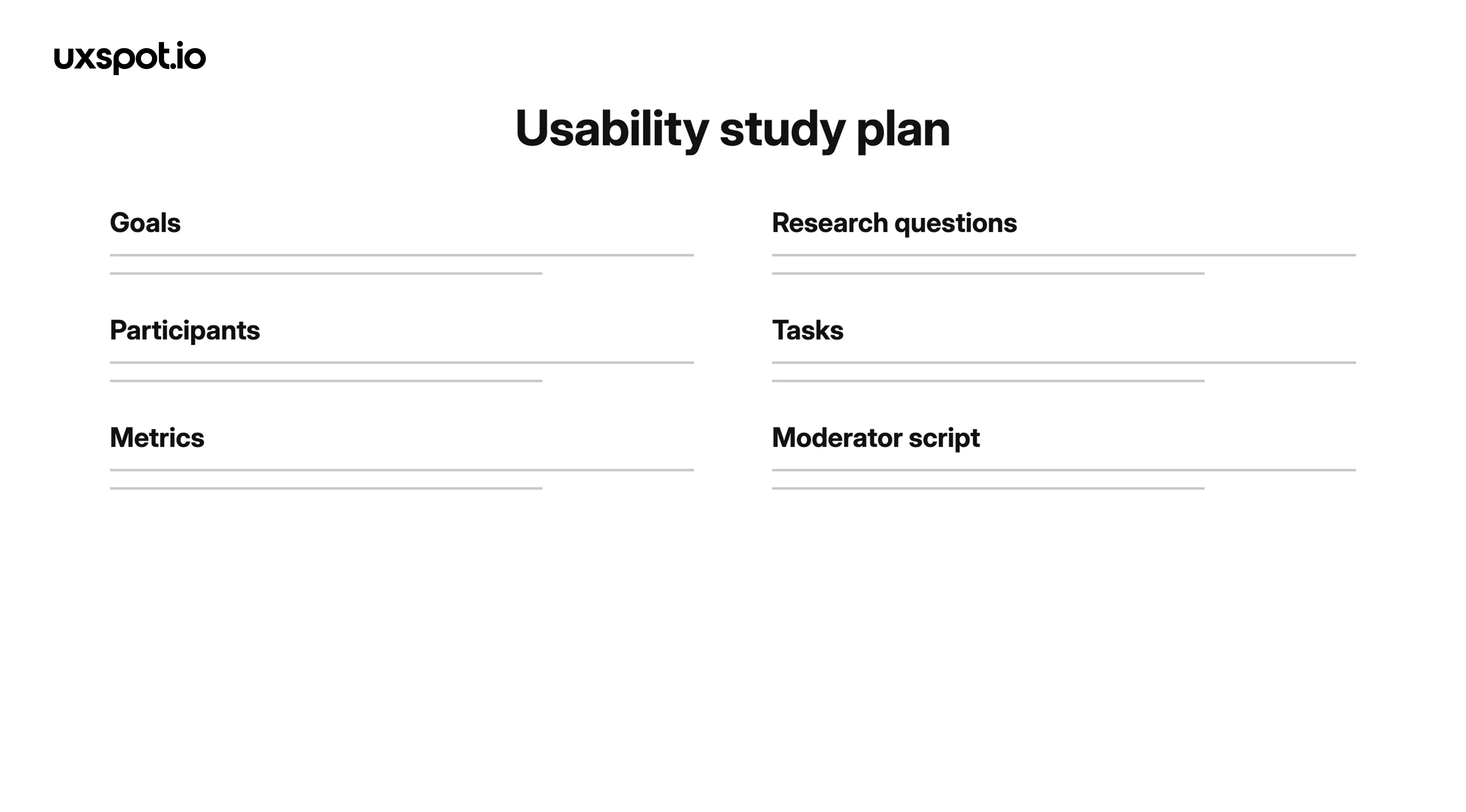
A usability study plan is a short document that states what you want to learn, who you will learn it from, what tasks they will attempt, and how you will judge the results. It is the study's contract: everything that happens in the sessions should trace back to it.
A usability study is where your design finally meets reality, and reality is expensive: a handful of participants, an hour with each, one chance to run each session well. Without a written plan, a usability study drifts into a friendly product demo where everyone nods and nothing gets measured.
A solid plan covers six things: the goals of the study, the research questions, the participants, the tasks, the metrics, and the moderator script. Each part constrains the next: your goals shape your questions, your questions shape your tasks, and your tasks decide what you can measure. If a stakeholder later asks "can we also test the pricing page?", the plan is what lets you say "not in this study" without an argument. Keep it to one or two pages; a plan nobody reads protects nobody.
-
keywords
- #StudyPlan
- #UsabilityTesting
- #ResearchGoals
Write answerable questions
The most common planning mistake is writing questions a usability study cannot answer. "Do users like the app?" sounds reasonable, but liking is vague, polite participants will say yes, and even an honest yes gives you nothing to act on.
A good research question is specific, observable, and answerable within a single session: "Can users find the refund option from the order history page?" not "Do users like the app?" You can watch someone attempt the first and record a clear outcome; you cannot watch someone "like" something.
A useful test: imagine the study is over and you are writing the answer. If the honest answer would be "sort of" or "it depends on the person", sharpen the question. "How easy is checkout?" becomes "Can first-time buyers complete checkout as a guest without asking for help?" Aim for three to five questions per study; more turns your sessions into a rushed checklist.
-
keywords
- #ResearchQuestions
- #Observable
- #Specific
Recruit the right participants
Your findings are only as good as your participants. Testing a tax-filing app on your design team tells you how designers experience tax software, which is not a question anyone asked. Participants must be representative of your real users: similar goals, similar context, similar familiarity with the domain and with technology.
To find them, write a screener: a short questionnaire that filters candidates before you invite them. If you are testing a money-transfer flow, your screener might require people who have sent money to another person in the last three months. Screen for behavior, not opinions: "have you done X?" beats "would you say you are good at X?", because people are unreliable narrators of their own skills.
How many people? For a qualitative study whose goal is finding problems, around five participants per distinct user group is a practical sweet spot: the biggest problems surface early and then repeat, so a second small round after fixes teaches you more than one large round. If your product serves clearly different groups, such as hosts and guests on a booking platform, recruit each separately. And recruit one or two backups: someone will cancel.
-
keywords
- #Recruiting
- #Screener
- #RepresentativeUsers
Write task scenarios
Tasks are the heart of the study. A task scenario gives the participant a reason to use your product, then gets out of the way. Three rules do most of the work.
Give realistic context
A bare instruction like "find a hotel" invites random clicking. A scenario with context invites real behavior: "You're visiting a friend in Lisbon for a long weekend and need a place to stay near the city center, under a set budget." Context turns a participant from someone poking at screens into someone with a goal, and goals are what you actually design for. Keep the context believable; your screener should guarantee the scenario fits the participant's life.
State a goal, not instructions
Write "you want to send money to a friend who covered dinner last night", not "tap the Send button, then choose a contact". The moment you name the steps, you are testing the participant's ability to follow directions, not your design's ability to guide them. If the flow only works when someone narrates it, that is precisely the finding you need, and step-by-step instructions will hide it.
Avoid words that appear in the UI
If your navigation says "Bookings", do not write a task that says "check your bookings". Participants will pattern-match the word instead of understanding the interface, and your labels get a free pass. Say "find out what time you're checking in next week" instead. If you cannot describe the goal without borrowing the interface's exact words, ask whether real users arrive already speaking your product's vocabulary.
-
keywords
- #TaskScenarios
- #RealisticContext
- #NoLeadingWords
Choose what to measure
Decide before the sessions what counts as evidence. Four measures cover most studies:
Task success. Did the participant complete the task? Define success in advance, for example "reaches the confirmation screen without moderator help", or every session ends in a debate.
Time on task. How long completion took. Useful for comparing designs or spotting tasks that succeed but take painfully long.
Errors. Wrong turns, backtracking, taps on non-interactive elements. Note where they happen, since the location of an error points to the fix.
Subjective ratings. A quick post-task difficulty rating on a short scale captures how the task felt regardless of the outcome.
Pick the fewest metrics that answer your research questions; a moderator juggling six measurements observes none of them well. For a five-person study, treat numbers as signals that point you to problems, not statistics that prove anything.
-
keywords
- #TaskSuccess
- #TimeOnTask
- #Errors
- #SubjectiveRatings
The moderator script
The script is what you say during the session, written down word for word. If every participant hears a slightly different framing, you cannot compare their sessions.
A standard script includes a welcome that sets the tone ("we're testing the design, not you; you can't do anything wrong"), a consent step where the participant agrees to the session and to being recorded, and a think-aloud reminder asking them to narrate their thoughts as they work, since their reasoning is often more valuable than their clicks.
Then come the probes for when a participant goes quiet or gets stuck. Neutral probes keep the session honest: "What do you expect to happen?", "What are you looking for?", "What would you do next?" Compare that with "Did you see the menu?", which hands over the answer. Write the neutral probes into the script so that mid-session, under pressure, you reach for them instead of hints.
-
keywords
- #ModeratorScript
- #ThinkAloud
- #NeutralProbes
Pilot run and logistics
Always test the test: run one full pilot session before the real study.
A pilot is a complete rehearsal with a colleague or a spare participant. It catches confusingly worded tasks, sessions that run twenty minutes over, prototypes that dead-end on a screen you forgot to link, and questions that accidentally lead. All of these are cheap to fix the day before and costly to discover with participant one of five, so budget time to revise the plan after the pilot.
Finally, a short logistics checklist for the day itself: recording consent signed before anything is recorded; the recording actually started; a note-taker who is not the moderator, because moderating and note-taking are two full-time jobs; a backup device and prototype link in case something fails. None of it is glamorous, and all of it decides whether your study produces usable evidence.
-
keywords
- #PilotStudy
- #Logistics
- #Consent
- #NoteTaker